

After realising that many people have not heard about it, or have thought it was a complicated tool to use (which it isn’t), I have decided to be an Obsidian influencer. J/k; it’s a great tool, and it’s only natural that one be a shill for the things one loves.
If you’re keen to get into Obsidian, you will benefit from a few introductory posts or videos; I found Jamie Rubin’s blog series extremely useful, and there are loads of tutorials on YouTube. Check out, especially, Nicole van der Hoeven, who posts very accessible, super clear and commonsensical videos.
My friend Chipo recommended Obsidian to me three years ago, but for some reason it didn’t register. I don’t know now how it crossed my path again, but it’s become my most useful writing tool.
Why Obsidian?
Essentially, Obsidian is a Markdown editor. You have probably used Markdown laguage already somewhere–maybe on Whatsapp, if you’ve ever made your text bold, or used strikethrough. It is useful, but not essential, to learn a few commands; Markdown boils down to plaintext, those documents you create in Notepad and similar.
What is Markdown?
I’ll let the smart people answer this one: markdownguide.org
However, know that Markdown is fancy plain text, and you can expect Obsidian to work pretty much like a slightly fancy plain text editor.
How I use Obsidian
I’m mobile-only–I have had really rotten luck with laptops, and have given up on them. I have Obsidian installed on my Android tablet, which is where I do alll of my knowledge work, and then also on my daily phone (also Android), although I rarely open it there. I used to have it installed on my iPhone too, but found it to be really glitchy on there, and uninstalled it. Obsidian has worked perfectly with my mobile-only setup; the only small disadvantage is that new features (like the latest, Canvas) take a bit longer to come to mobile.
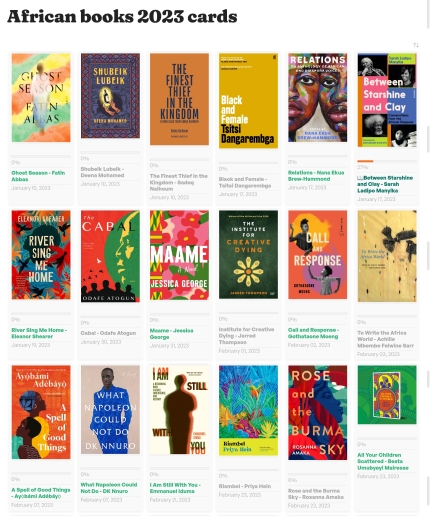
I compose everything in obsidian now: this blog post, all of my book reviews, and my newsletter. I also use it to record many other things: my daily note, when I remember, which is a log of events, things, people, and health; my journal; people details (phone numbers, emails, social links, birthdays, etc); and so many other things. Basically, Obsidian is the swiss army knife of PKM, or personal knowledge management.
Syncing
You can sync your Obsidian data between devices using the official sync; I, however, use Dropbox, and Dropsync, which is seamless, and which I have not needed to pay for so far. When I had Obsidian on my iPhone I also used a plugin (because Dropsync is Android only), and that worked fine, but all of that got unnecessarily complicated.
What are plugins?
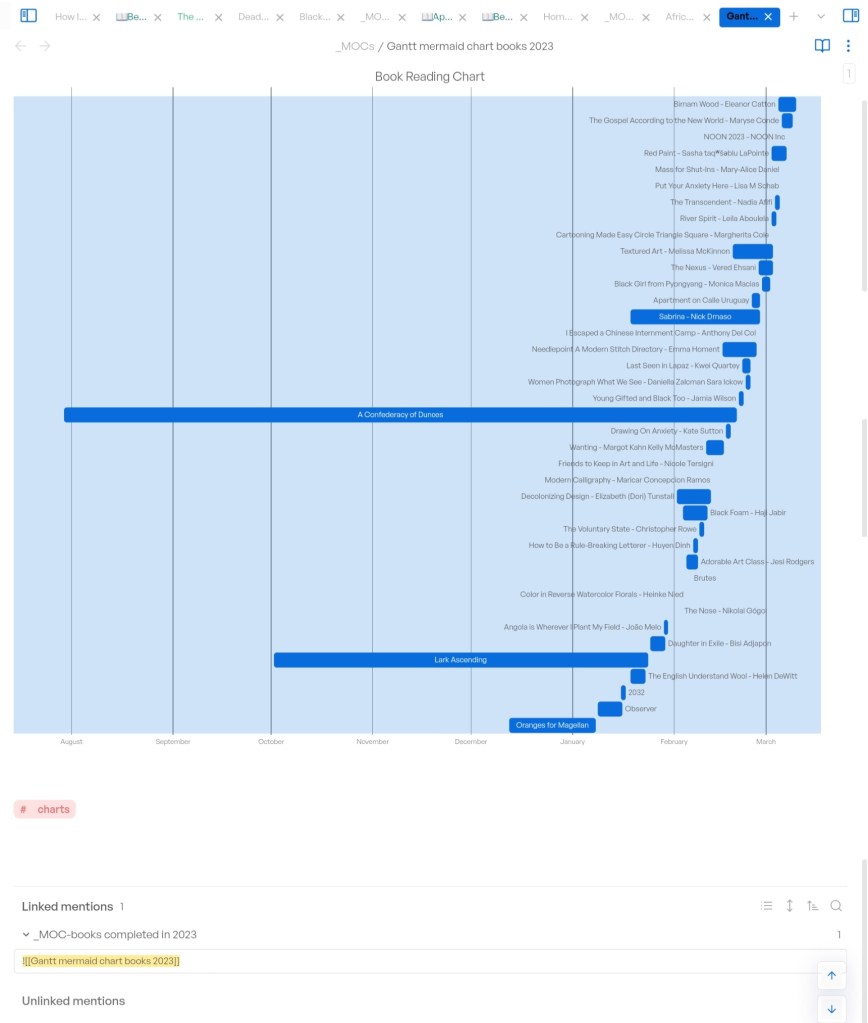
This is how to make Obsidian fancy. there are core plugins (most of which I have turned on) that ship with Obsidian, and then there’s a wonderful community that creates a huge range of really fun and useful add-ons. There are tools you can install to extend Obsidian’s functionality, from making it connect to external services, like Readwise, Raindrop, Twitter, Pocket, Trello, and even Notion, and others, to running commands in Obsidian to extract meaning from your data. My favourite plugin is Dataview, which enables me to keep track of the books I’m reading and have read, review due dates for galleys, birthdays, health data, tasks (although I really prefer analog lists), and so many other things. Plugins are great, but some—Dataview included—have a learning curve, and this is where those online tutorials are useful.
Along with Dataview, here are my other favourite community plugins: Banners, Better Word Count, Book Search, Calendar, Card View Mode, Excalidraw, Footnote Shortcut, Habit Tracker, Highlightr, Homepage, Hotkey Helper, Html Reader, Longrom, Multi-Column Markdown, Note Refactor, Novel Word Count, Periodic Notes, Raindrop Highlights, Readwise, Scroll To Top, Simple Embeds, Strange New Worlds, Style Settings, Supercharged Links, Tasks, Templater, Tracker, Tweet to Markdown, txt as md, Wikipedia, and Word Sprint.
Themes
You can prettify your Obsidian with the many wonderful themes produced by the community.

Is it for smart people?
The short answer is no. You can make it really elaborate (there are loads of tutorials to hellp you do this), or you can keep it simple by using the vanilla version straight out of the box, which is a basic markdown editor.
Where can I download it?
Here! Obsidian.md/download, or on the usual app stores for mobile.
Other use cases
- I keep a few public pages that I publish using Notion. I compose them in Obsidian, and then copy across to Notion (which is also Markdown-based) for publishing.
- It’s really great that WordPress is also Markdown-based, so any formatting in notes I copy across is preserved.
Resources
Here are many, many links to useful things:
- The best newsletter to know what’s happening right now in Obsidian: Obsidian Iceberg
- This got me into Obsidian in the first place: The Whippet #149: Getting rhizomatic with the lads
- Obsidian Review | PCMag
- You’re an academic? Here: Obsidian Tutorial for Academic Writing | by Leonardo Castorina | Better Humans
- Student? Here: Reddit – Obsidian for taking notes in class
- 15 Obsidian plug-ins I can’t live without
- Email Notes to Obsidian. Introduction | by Patrick Berry | Medium
- 15 Easy Templater Commands For Obsidian — Red Gregory
- Obsidian Snippets
- Home notes in Obsidian
- Creating a Today View in Obsidian – Obsidian Rocks
- Book reading Gantt charts with Mermaid and Obsidian ‧ joschua.io
 Harare Review of Books
Leave a reply to 2023 anticipated reads – shona reads Cancel reply